Steps I followed
1.Created a bootable Ubuntu USB drive.
2.Booted from the USB using the Boot Menu.
3.Started the Ubuntu installation process.
4.Followed all the installation steps one by one.
5.Reached the “Installation Type (Manual Partitioning / Something Else)” screen.
6.At the Partition Type and Location step, I noticed that I did not have enough free disk space for Ubuntu.
7.I exited the installer without completing the installation.
8.Later, I cleaned up some space on my C: drive in Windows.
9.I inserted the same USB drive again and tried to reinstall Ubuntu.
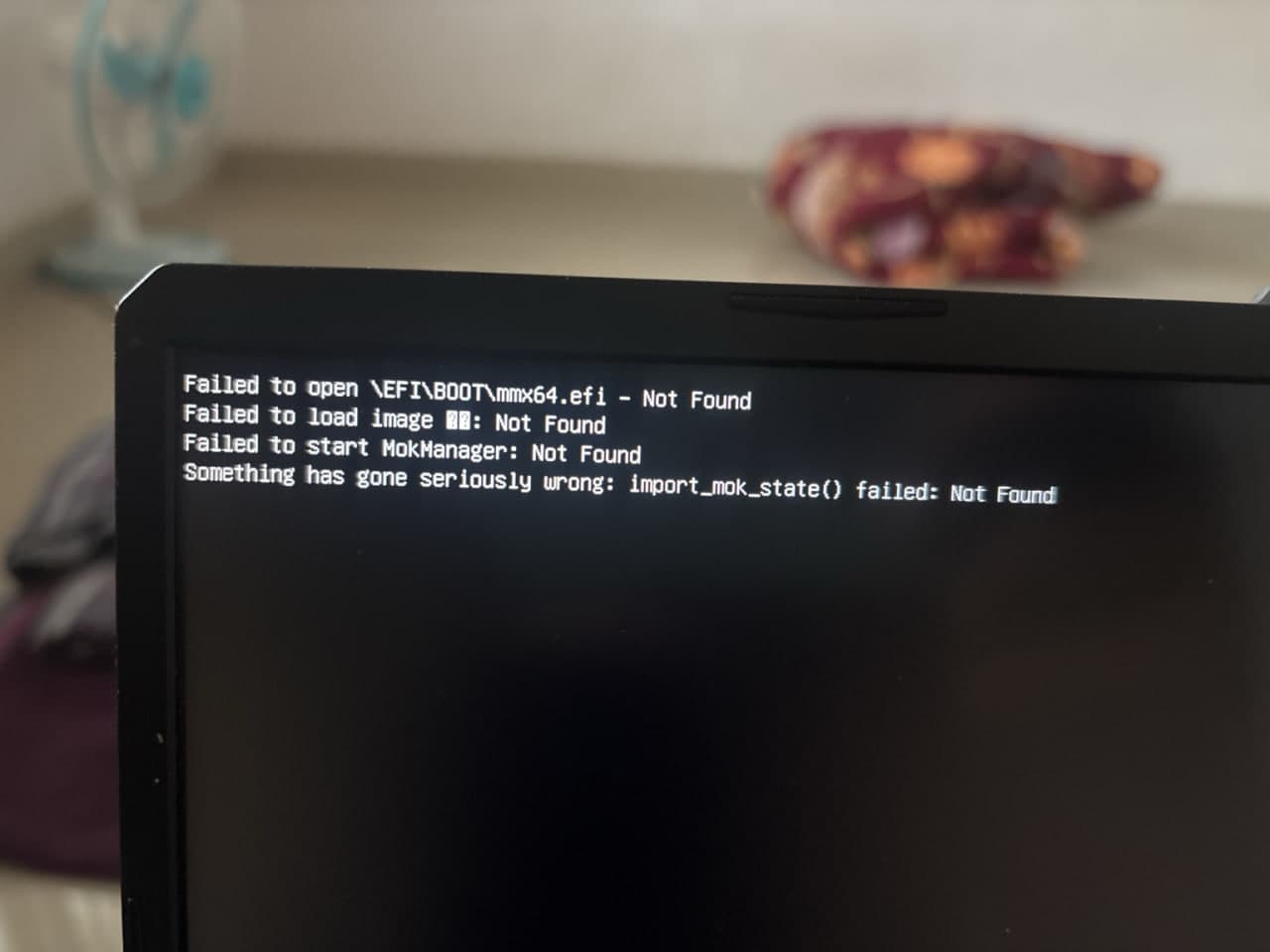
10.Now, whenever I boot from the USB, I get the following error